Drum is an eight-track drum computer.
A deep drum synth with a sequencer that locks any knob to any step, and an LFO on every track. Pick or generate sounds, patterns and whole scenes, then drag the finished beat into your DAW as audio or MIDI.
Why we made it.
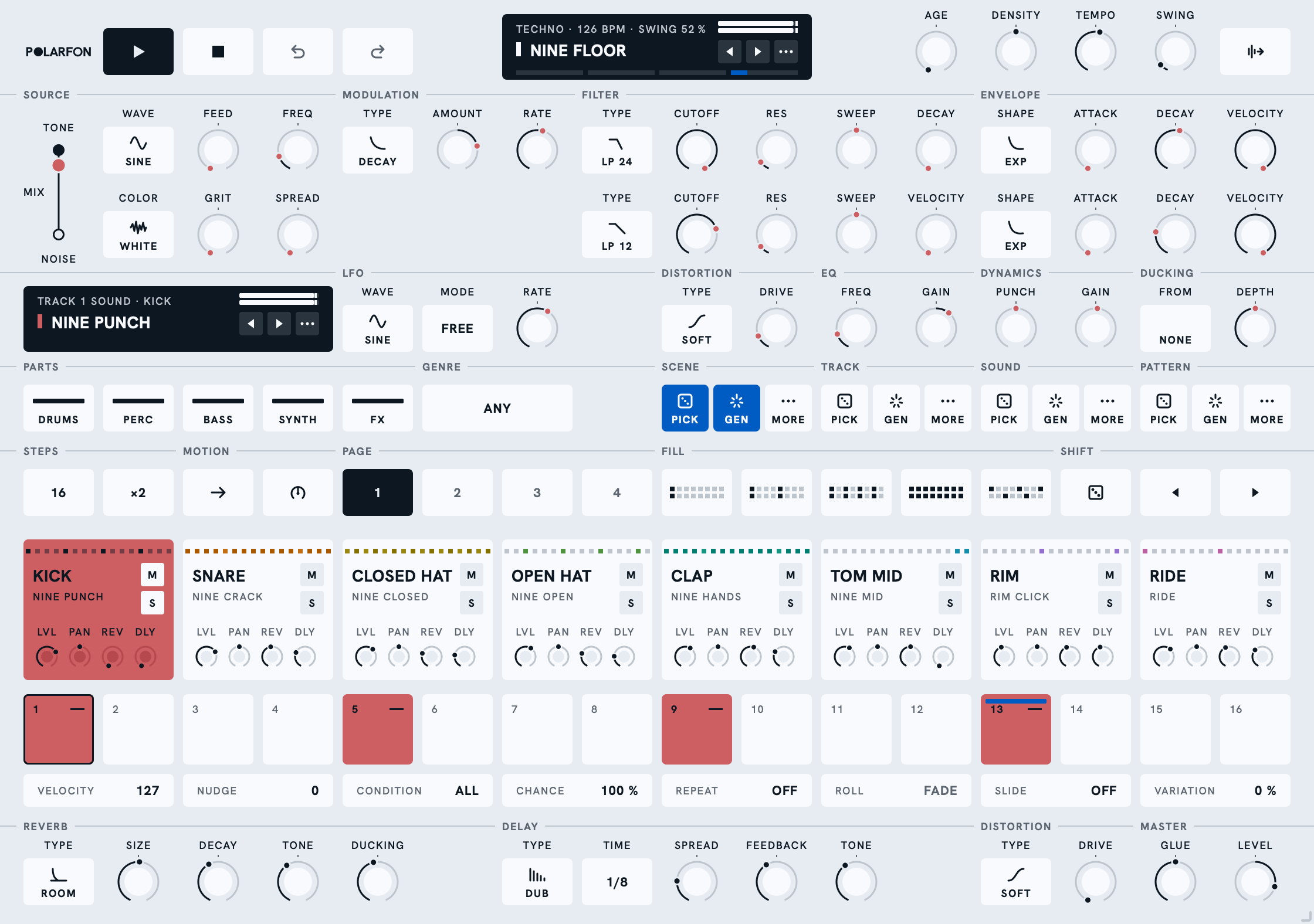
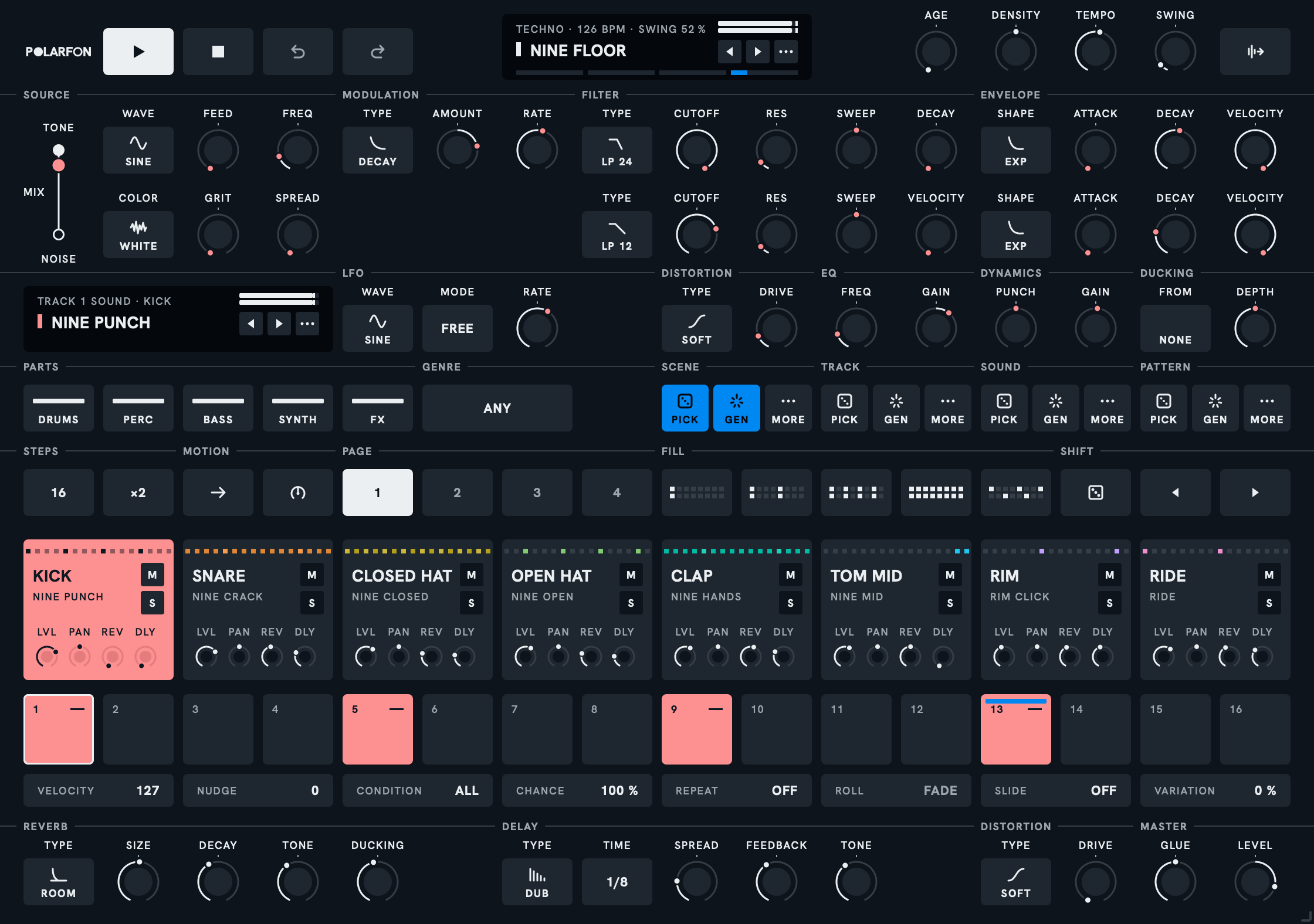
We made Drum for ourselves. We wanted a deep drum synth with a sequencer good enough to lock any knob to any step, and a reverb and a delay every track can send to. We loved picking and generating sounds, patterns, tracks and whole scenes, and keeping what we liked. We wanted every track on its own output, and the finished beat out as audio or MIDI with one drag. We couldn't find all of that in one place, so we built it. Now we're sharing it with you.
Hear it first.
Four scenes from the library, exactly as Drum's own export sheet rendered them. No mastering, no other plug-in.
Hip Hop
Twelve Boom Bap
House
French Filter
Latin
Bossa Brush
Techno
Peak Time
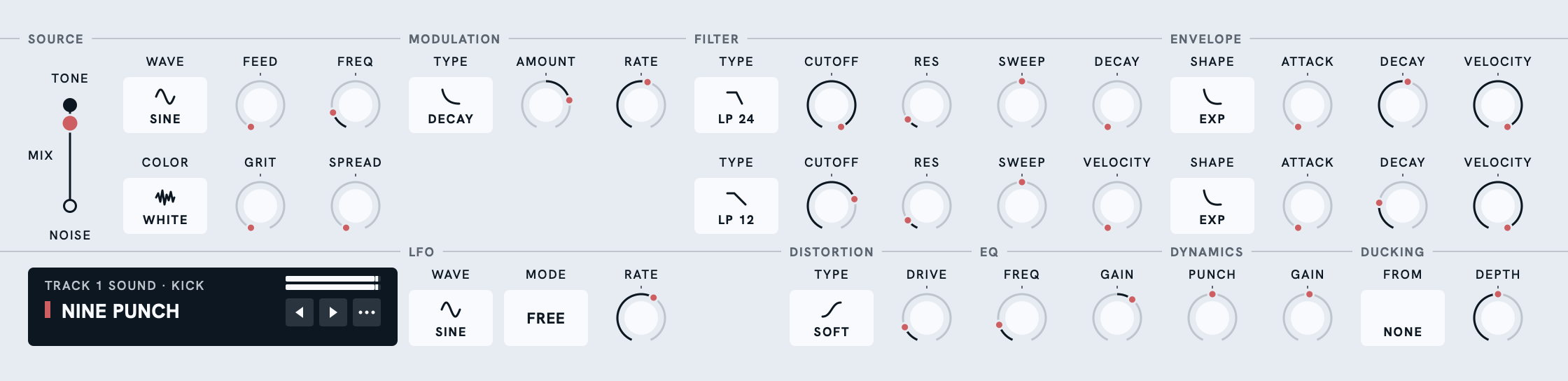
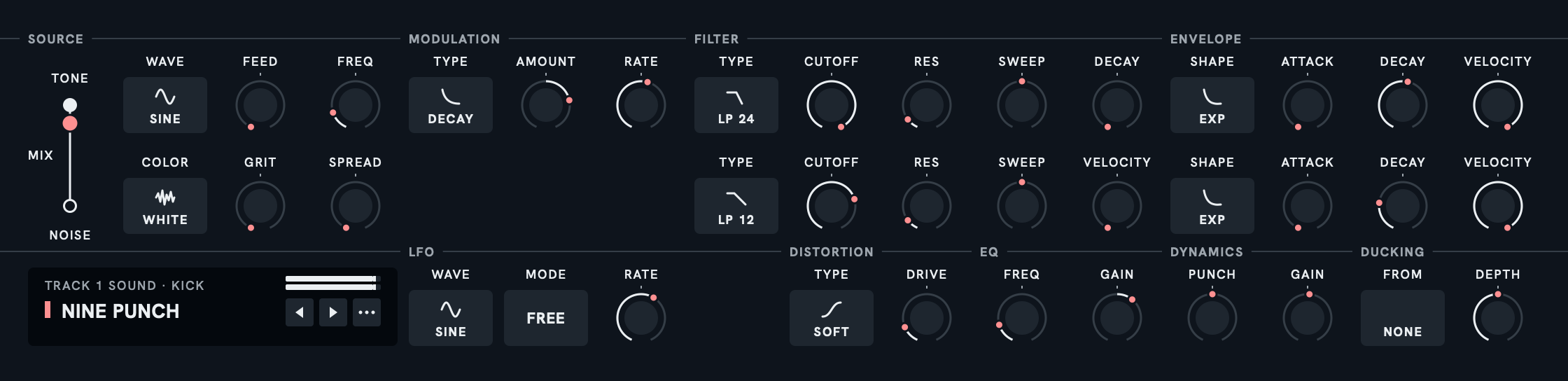
Every voice is a tone and a noise.
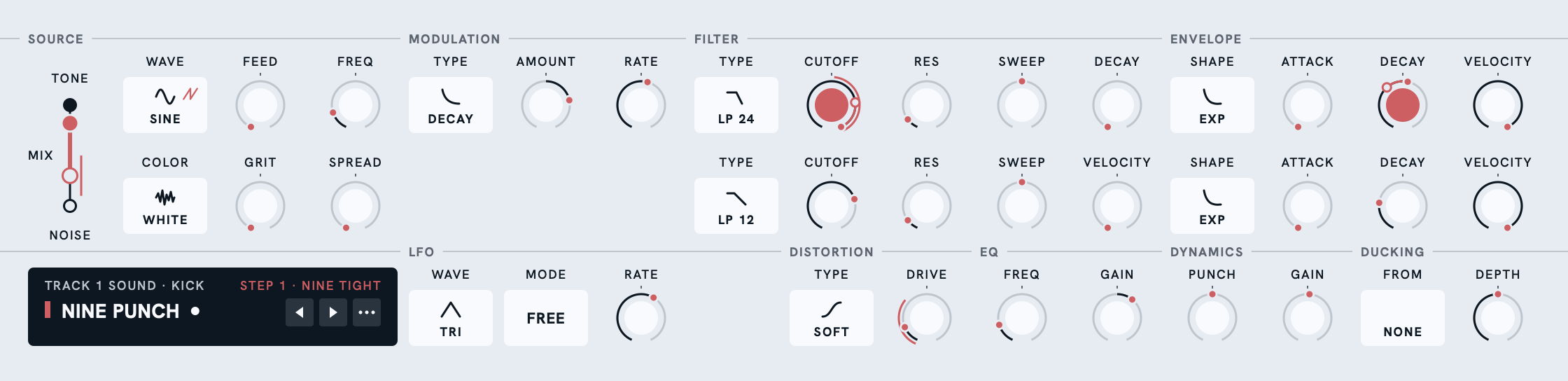
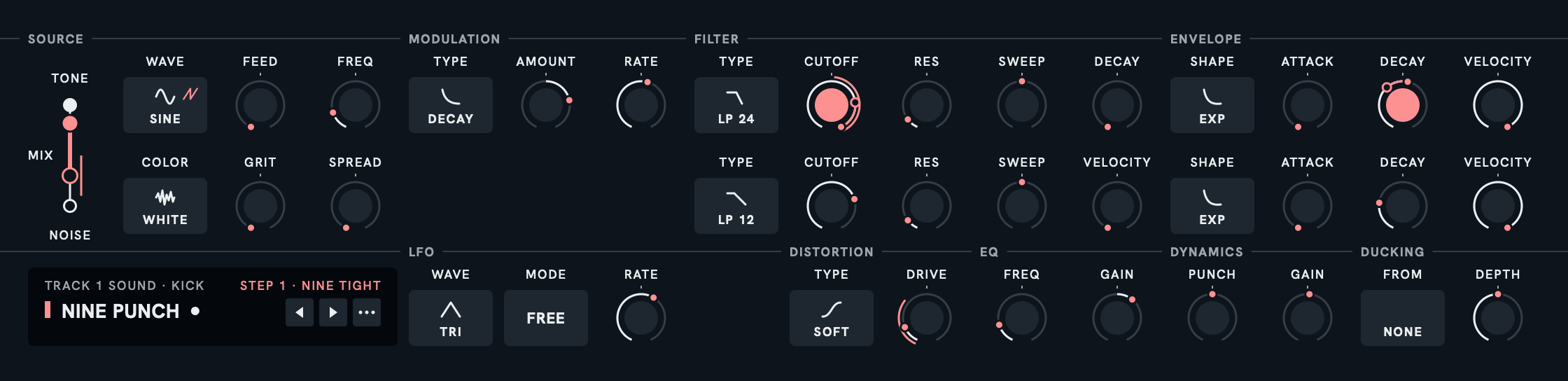
A kick is mostly tone. A hat is mostly noise. A snare is somewhere between. So every track has a TONE row, a NOISE row and one line between them, the MIX: drag the point and the drum changes character. The tone is an oscillator or an object: SINE, TRI, SAW or SQUARE, or a drum HEAD, a BAR, a PLATE or a BELL struck, or a STRING plucked, each ringing the way the real one does. The tone's filter sweeps home over its own DECAY. Under them, the track's own LFO and the chain the track goes through: DISTORTION, EQ, DYNAMICS and DUCKING. PUNCH brings a hit's front forward or its tail up without touching the peak, and DUCKING dips the track under another track's hits, in time with the tempo.
GEN writes a scene by rules. You keep what you like.
Choose the parts (DRUMS, PERC, BASS, SYNTH, FX) and a genre, or leave it ANY. GEN writes a scene, a track, a sound or a pattern from those seeds, by rules, not a trained model: each genre has its players and the rules they keep. Every pitch it writes shares one key, so a tom run or a bass line fits the rest. PICK draws one from the library instead. Don't like it? Undo is the whole machine, 64 points back.


Sixteen steps a page, each with its own settings.
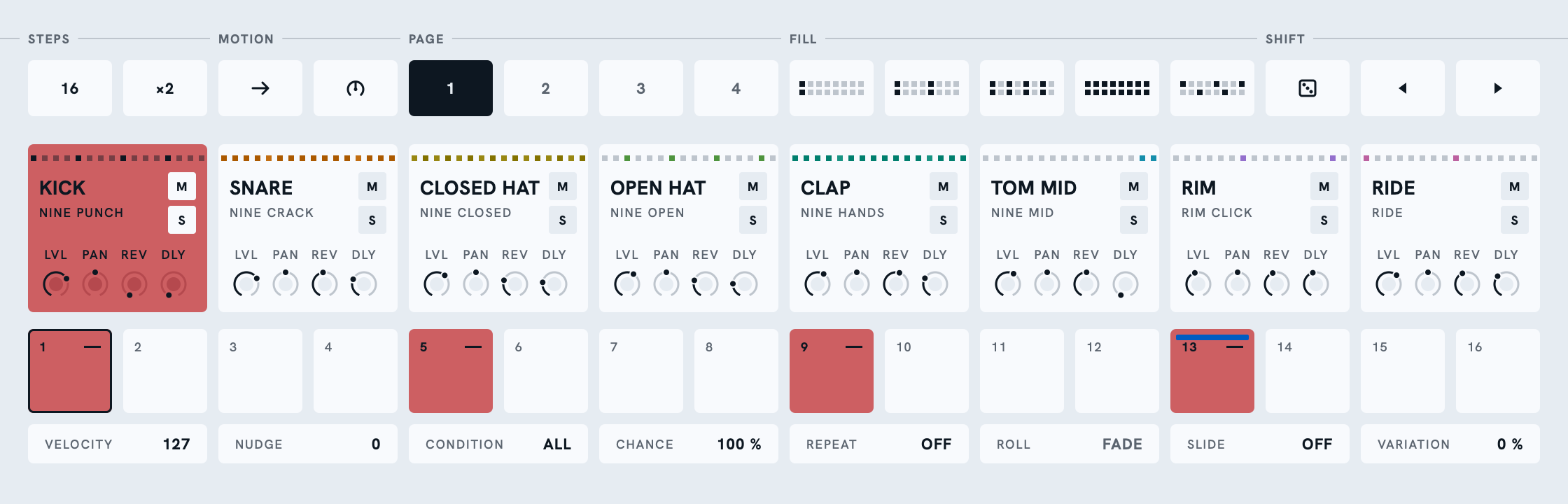
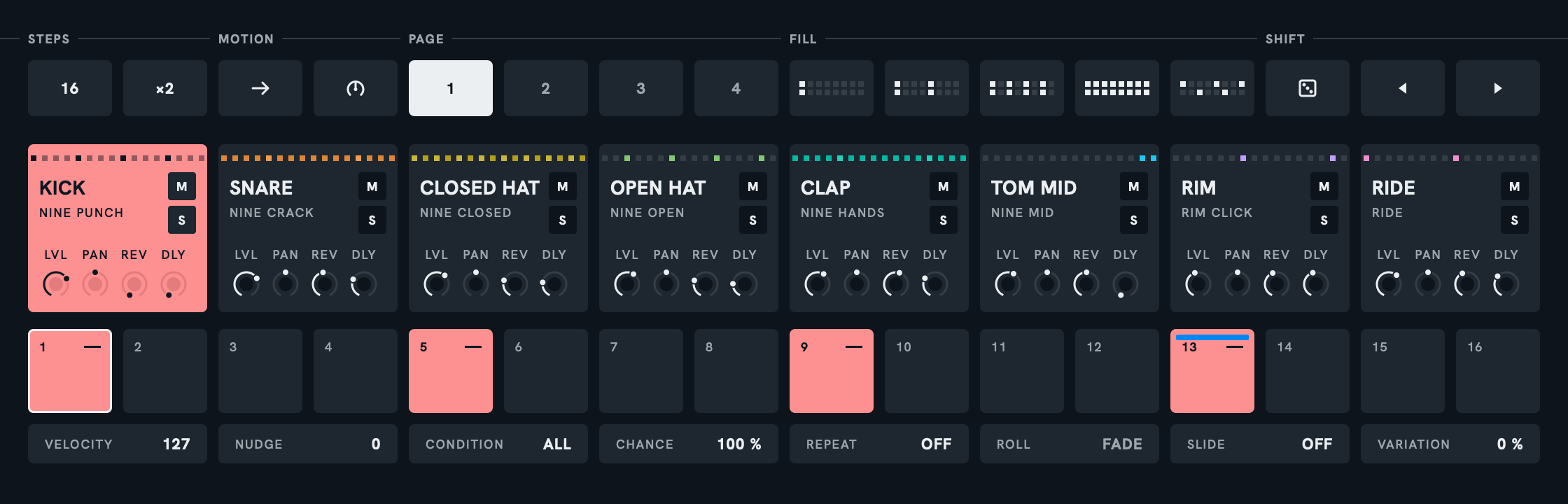
Every step has its own velocity, timing, chance and condition, repeats with a roll shape, a slide into it, and how far it may vary. A pattern runs up to four pages, and each track has its own length. DENSITY thins a pattern to its skeleton or fills in the ghost notes.
Lock any step. Move any knob.
Select a step, hold Cmd and change anything: that step keeps its own value, and the track's stands. Any knob or choice of the sound locks this way, and a step can play a sound of its own. Hold Option and drag a knob instead, and the track's LFO moves it, as far either way as you drag. Seven waves, from a smooth SINE to a wandering DRIFT, at any rate from 1/64 to 16 bars, turning freely and holding at each note value as you pass it, running with the song or starting again at every hit. The two work together: on a locked step, the lock is the value the LFO swings around.
A reverb, a delay and a master stage.
Each pad sends to a reverb and a delay. Under the steps, the reverb has a type, a size, a decay and a tone, and ducks under the dry beat; the delay has a type, a time, a spread, a feedback and a tone. Then DISTORTION on the whole mix, and MASTER: a glue compressor and the level. The beat leaves the plug-in mixed.


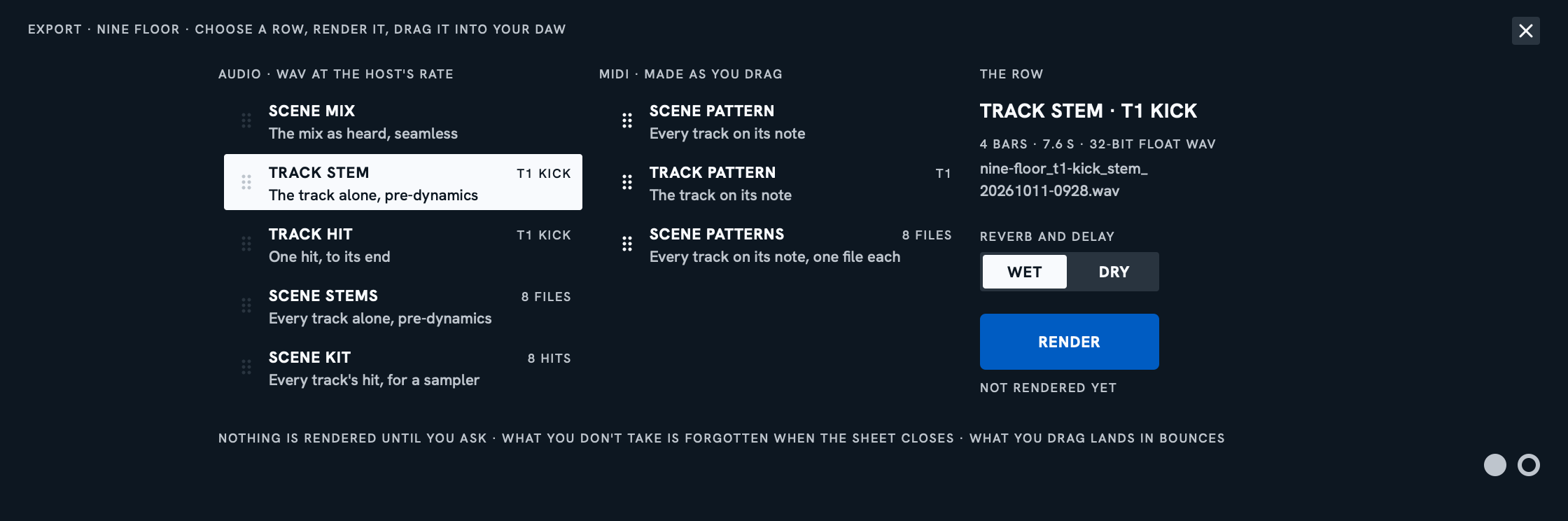
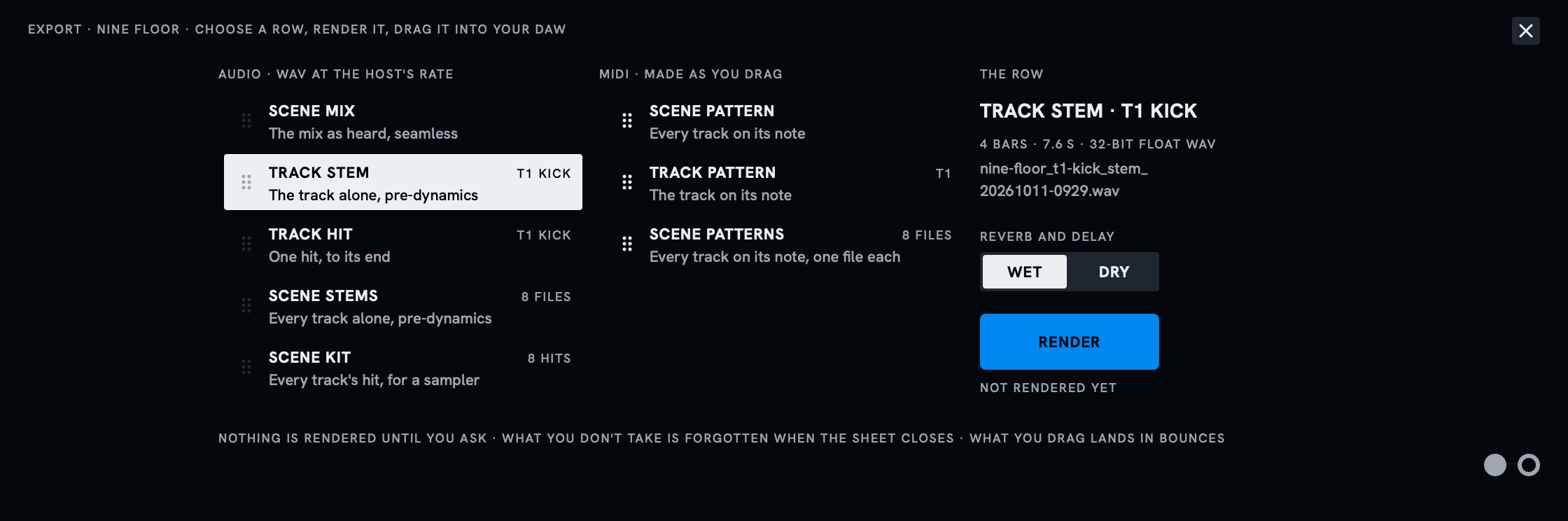
When it's done, drag it into your DAW.
The scene mix, a track stem, a single hit, all stems, the kit, or MIDI: every one is a row you drag into the DAW or click to save. Audio is 24-bit WAV at the host's rate. No bounce in the DAW first. Or keep it live: eight separate outputs, MIDI notes that play the tracks, and SEQUENCER OFF, which lets your DAW's MIDI clips play the beat.
What you get.
For you if you program drums in a DAW and want them mixed and ready without leaving one window. Not if you'd rather browse sample packs: Drum makes its sounds.
Start from a beat, not a blank grid.
PICK draws a scene from the library; GEN writes one by rules, in one key, in Hip Hop, House, Latin, Techno and more. Then mix and match in a press each: a new sound, pattern or track, while the rest of the beat plays on.
Every track, a whole voice.
A tone and a noise on one line. The tone is an oscillator, a drum head, bar, plate or bell struck, or a string plucked. Then distortion, an EQ, a transient shaper and ducking.
Lock any knob to any step.
Velocity, timing, chance, conditions, rolls and slides on every step, and any sound setting locked to it. Tracks of different lengths play against each other.
An LFO on every track.
Seven waves at the tempo, on as many knobs as you like, each by its own depth. It runs with the song, starts again at every hit, or plays one cycle like a second envelope.
Mixed before it leaves.
Every track sends to a reverb and a delay, into a master stage. Sounds and scenes arrive loud and clear, every peak held under −1 dBTP.
Out in one drag.
The mix, the stems, a single hit, the kit or the MIDI, dragged straight into your DAW. Or play it live: eight separate outputs, MIDI in, and SEQUENCER OFF for your DAW's MIDI clips.
Learn it by playing.
Point at any control and the screen says what it is and where it stands. Every press of PICK or GEN is one UNDO away, and a guide inside goes from your first five minutes to every control.
Questions.
Does it run on my computer, in my DAW?
On a Mac with Apple silicon and macOS 15 or later, in any DAW that hosts VST3 or AU. Windows 11 is coming. The whole answer
How many computers?
Every computer you own, with one license. The whole answer
Can I transfer my license?
Yes, from six weeks after it became yours. The whole answer
How do I update, and what does it cost?
Free within a major version: run the new installer over the old one. The whole answer
Four themes.
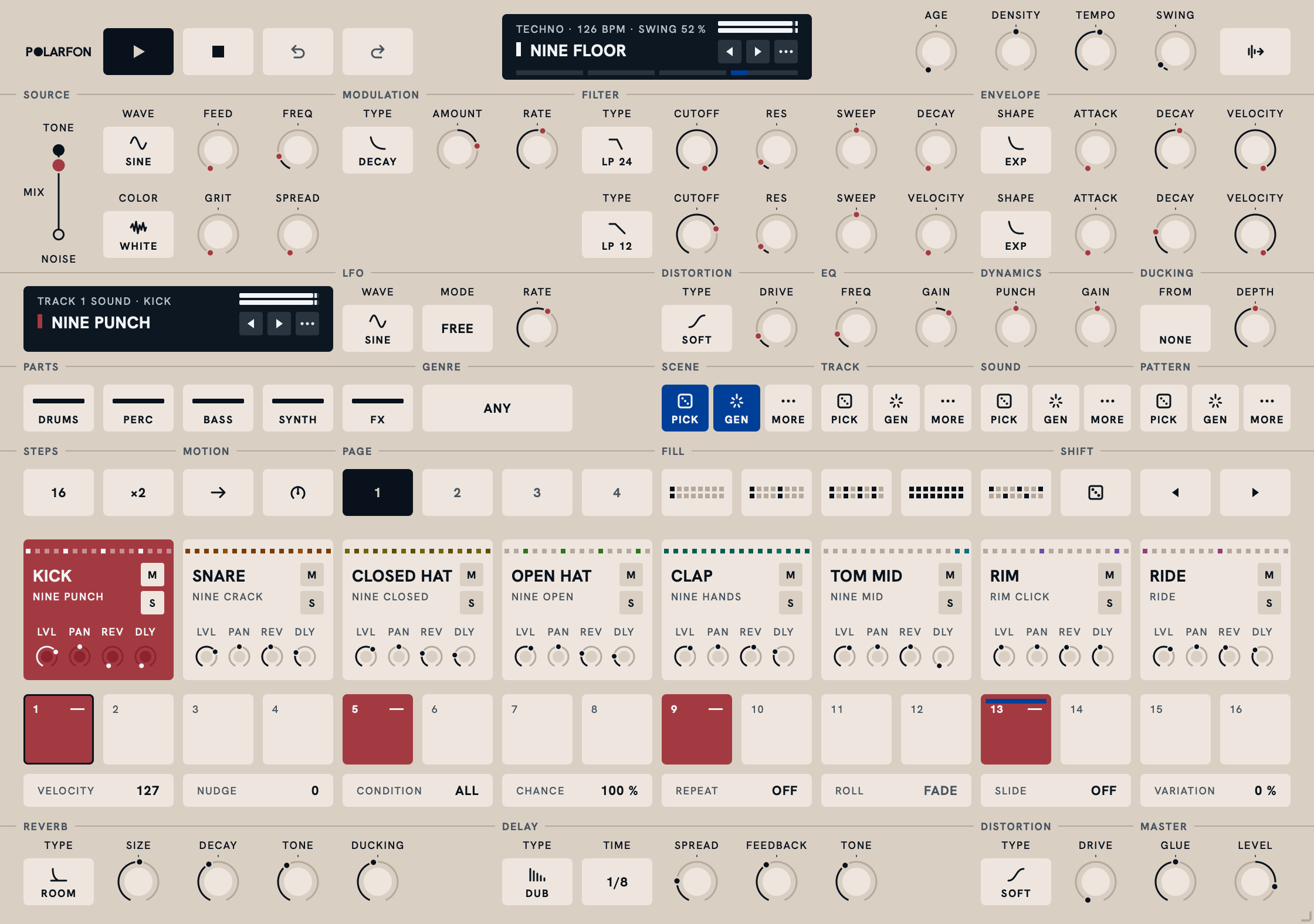
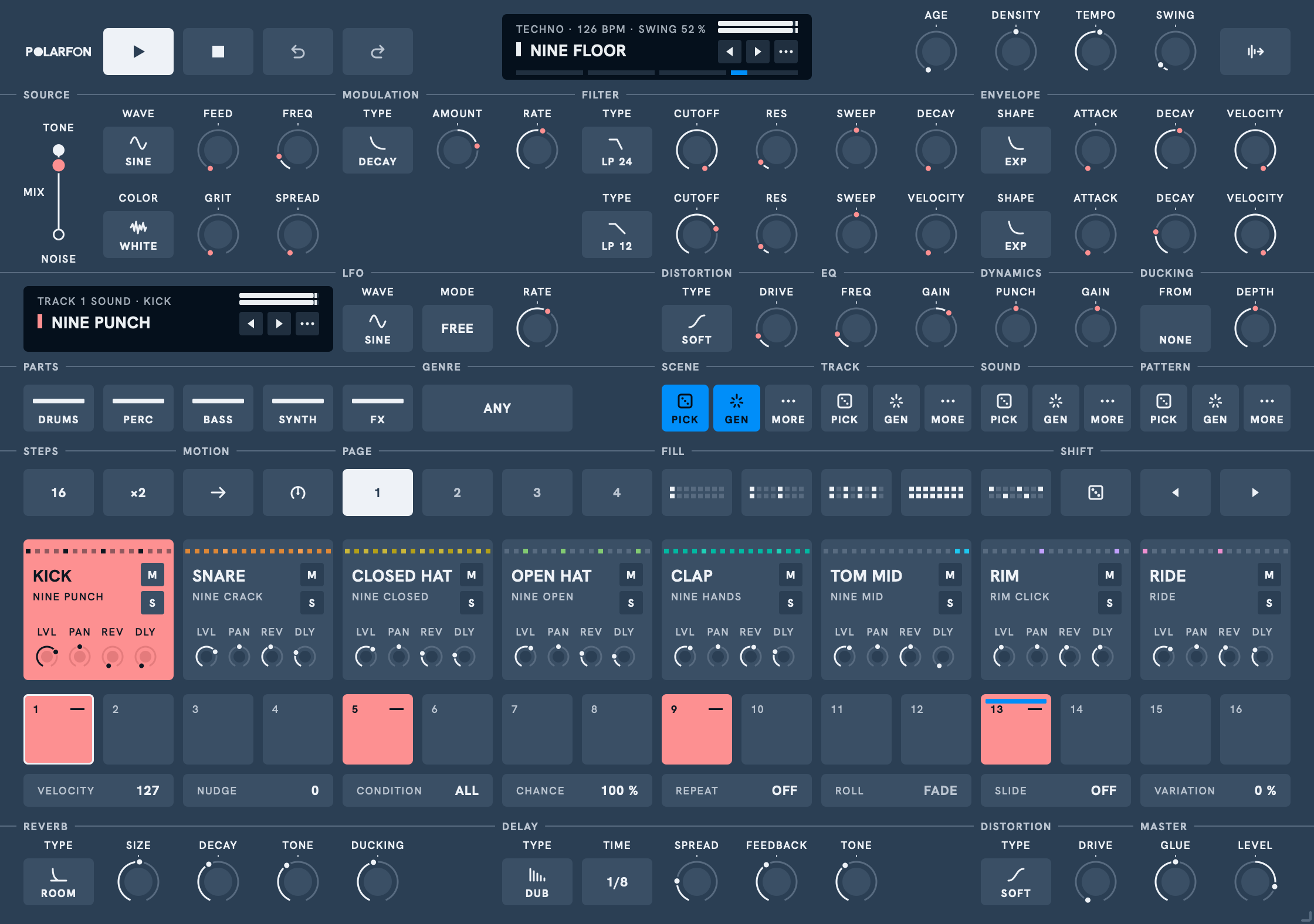
DAY for the desk, DAWN for a bright room, DUSK for the studio, NIGHT for the stage. The same layout in all four; each opens the full picture.
DAY
DAWN
DUSK
NIGHT
Try it, then buy it.
The demo plays everything in your DAW, with no time limit: no account, no card. Until you buy, a crackle passes through the output every thirty seconds, the export sheet renders nothing, and the eight separate outputs are silent. Pay once: one license covers every computer you own and every update within 1.x. Paste it, and all of it opens in place. The price includes your country's VAT, and Paddle's receipt shows it. Fourteen days to change your mind.